Gallery — See Every Feature in Action | Email Campaign Sender v2.1.0 | ridigital
16 real screenshots · interactive app detail · both editions 16 screenshots · both editions

See every feature in action

A complete visual walkthrough — installer wizard, license activation, Dark & Light themes, built-in Email Composer, live terminal, and intelligent follow-up campaigns.

Windows App v2.1.0 — no Python required · Python GUI v2.1.0 — Windows · Mac · Linux
2
Full desktop editions
2,000
Emails per day (Workspace)
$49
One-time lifetime price
30
Day money-back guarantee
Section A — Windows App v2.1.0

Installing the Windows App

Installs in under a minute — no Python, no terminal, no technical knowledge needed. Standard Windows installer with Desktop and Start Menu shortcuts created automatically.
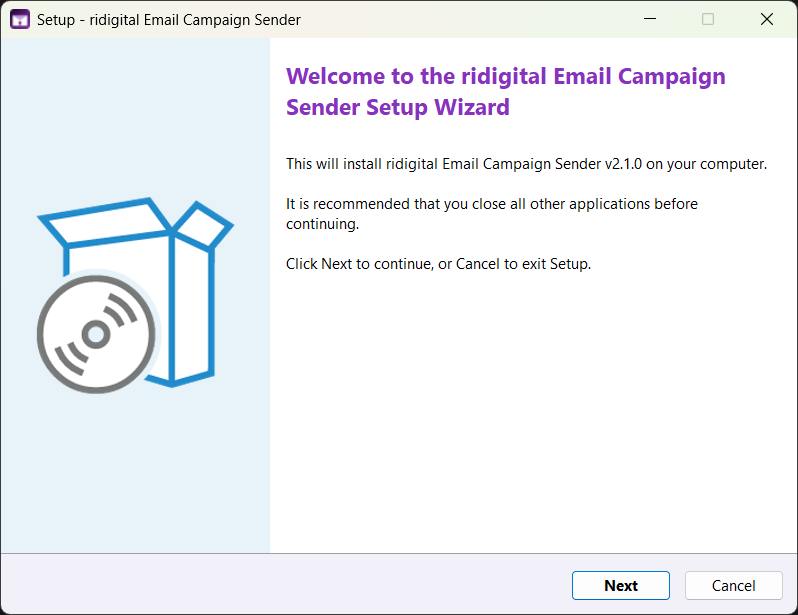
Welcome — click Next to begin
STEP 01
Welcome
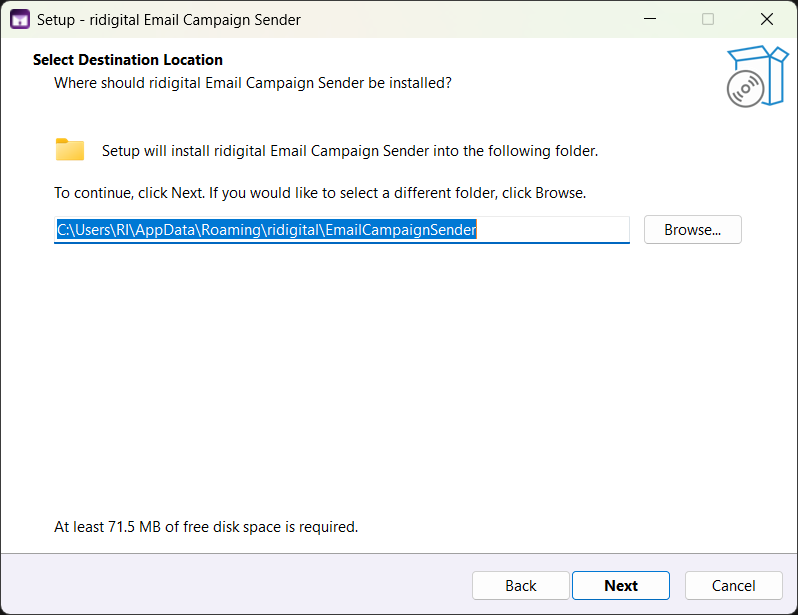
Choose install location — default is AppData, no admin rights needed
STEP 02
Install Location
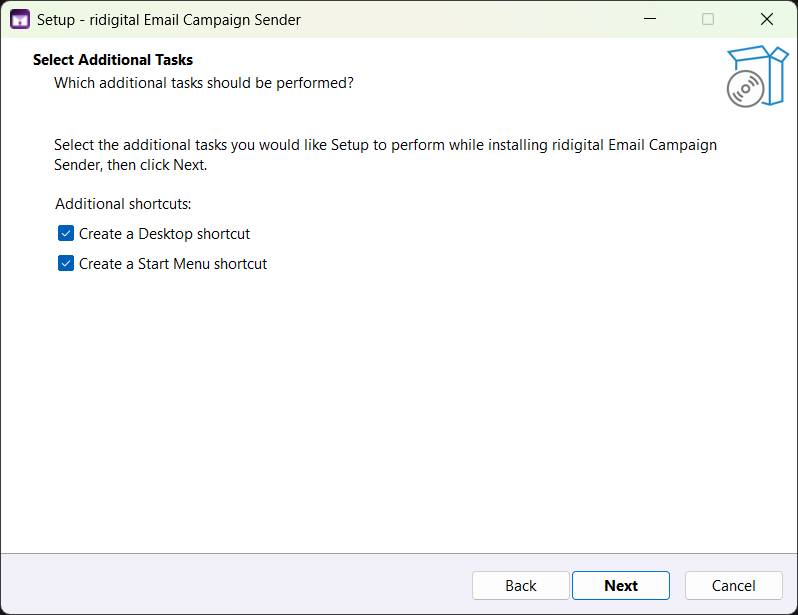
Desktop and Start Menu shortcuts — both checked by default
STEP 03
Shortcuts
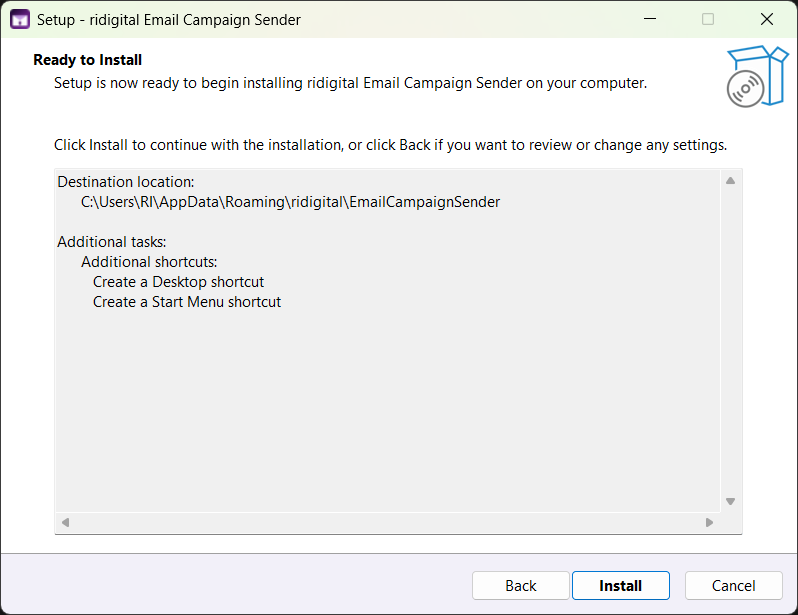
Review and install — everything confirmed before files are copied
STEP 04
Confirm & Install
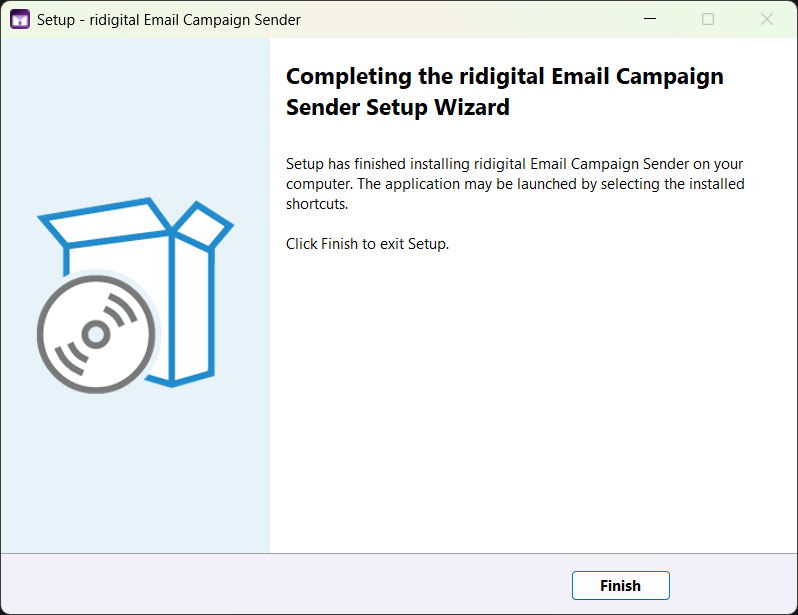
Installation complete — launch from your Desktop shortcut
STEP 05
Done — Launch
No Python required
Completely standalone — no Python, no terminal, no dependencies. Download, double-click, done. Installs like any commercial software.
Desktop + Start Menu shortcuts
Both created automatically. Uninstall cleanly via Windows Add/Remove Programs — leaves nothing behind.
Source encrypted inside EXE
Code is AES-256 encrypted and obfuscated inside the installer. No Python files exposed on disk.
Python GUI v2.1.0 — Windows, Mac & Linux. Opens with a double-click and installs everything it needs on first launch. One purchase covers both editions — same license key, identical features and UI.

Section B — License Activation

Activating your license

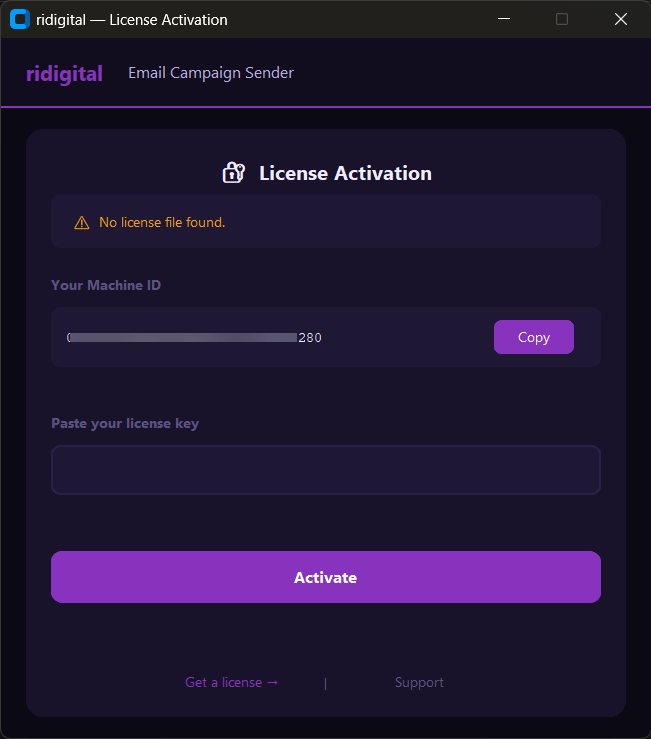
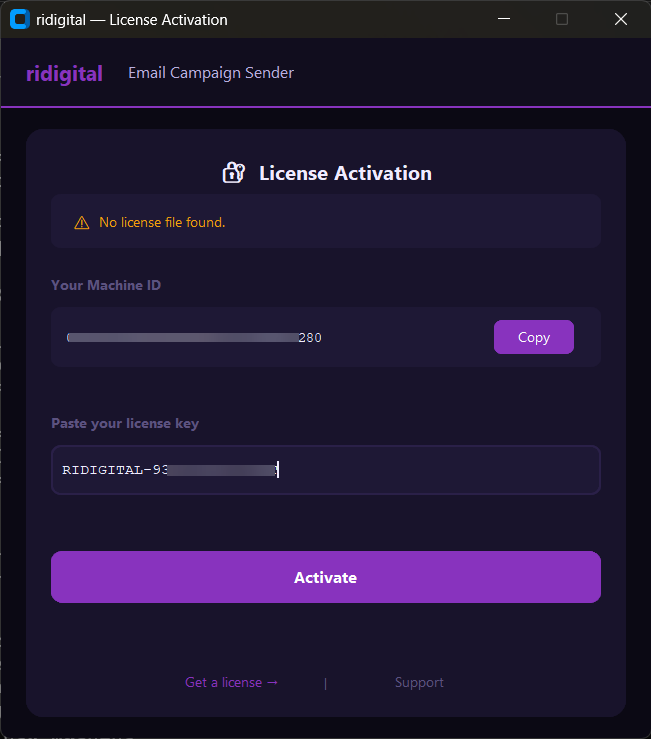
The activation screen appears automatically on first launch. Copy your Machine ID, submit it at the activation page, receive your key by email, paste it in. Done in under a minute — identical on both editions.
1
Copy your Machine ID
Shown automatically on first launch
Activation Screen Both editions
Activation screen — Machine ID shown automatically
2
Paste your license key
Arrives by email within minutes
Enter License Key Both editions
Paste your license key and click Activate
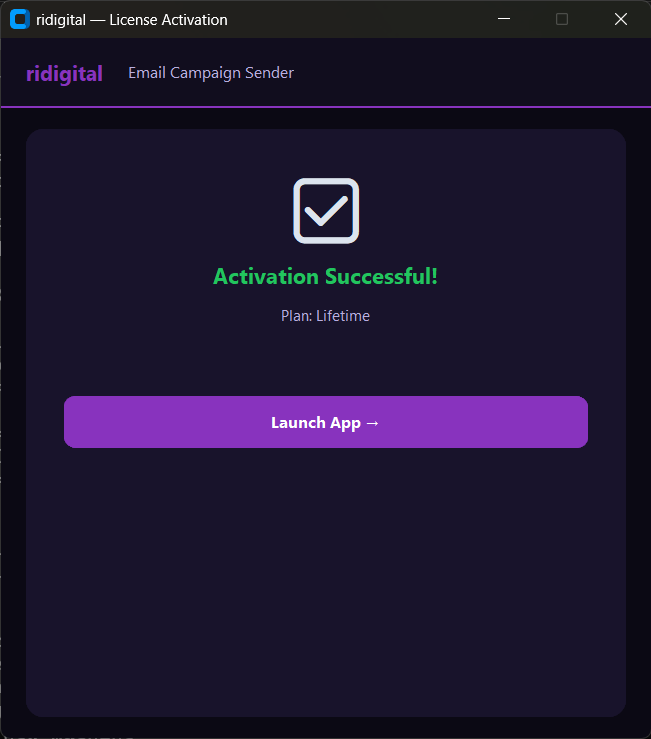
3
Activation confirmed
Plan: Lifetime — click Launch App
✓ Activated — Lifetime Both editions
Activation successful — Plan: Lifetime

Activation UI shown above is identical on Windows App v2.1.0 and Python GUI v2.1.0 — same screens, same flow, every platform

Section C — Both editions identical

Dark & Light themes

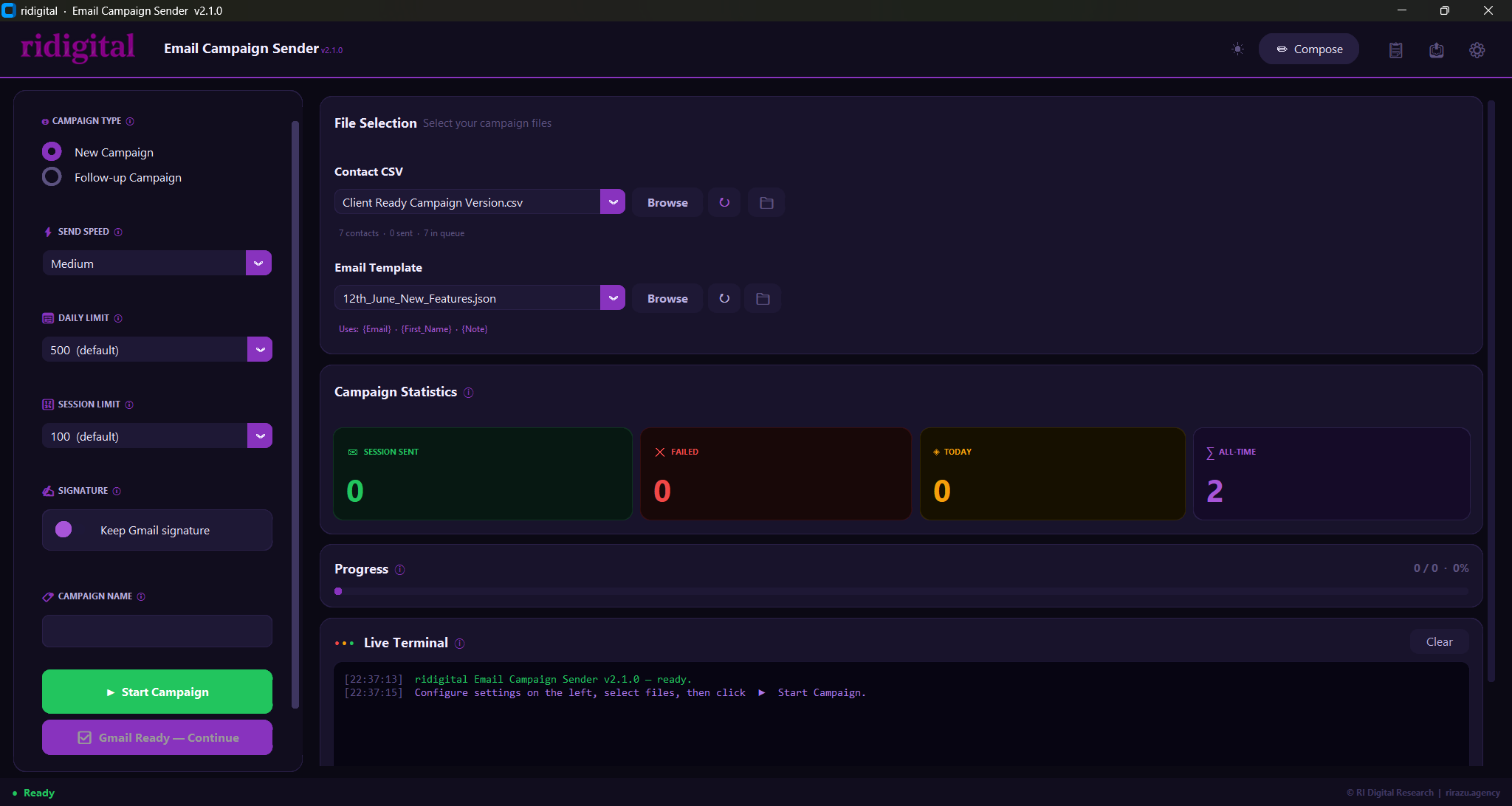
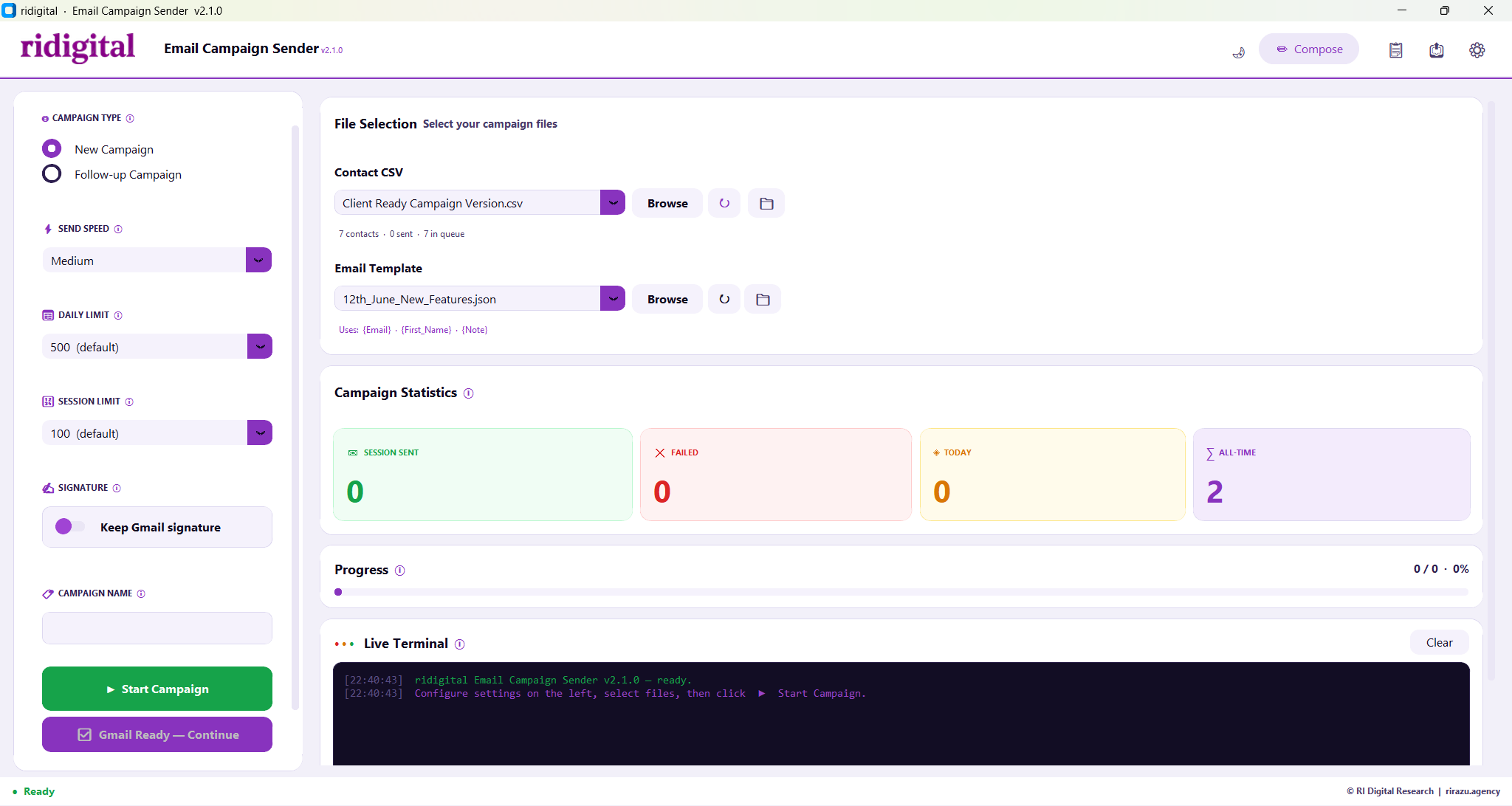
Switch instantly with the sun/moon icon in the header. Both themes are available on Windows, Mac, and Linux. Preference saved for next launch.
Dark Theme Windows · Mac · Linux
Email Campaign Sender v2.1.0 — Dark Theme
One-click theme toggle
Sun/moon icon in header. Instant switch, no restart needed.
Open Folder buttons
📁 on CSV and Template rows opens managed folder directly in Explorer or Finder.
Chrome auto-detection
Missing Chrome triggers a branded popup with direct download link. Nothing to configure.
Scrollable window layout
Nothing cropped on small or laptop screens. Scroll inside the app window to reach all sections.
Light Theme Windows · Mac · Linux
Email Campaign Sender v2.1.0 — Light Theme
Section C (cont.) — Campaign Controls

Every control, both themes

Six controls in the left panel — all point-and-click. Zero typing required during a campaign run. Jump to any block below.

Campaign TypeSELECTOR
Light
New Campaign
Follow-up
Dark
New Campaign
Follow-up
Switch between a fresh outreach campaign or a follow-up reply thread.
Send SpeedDROPDOWN
Light
Medium (15–30s)
○ Slow (30–60s)
● Medium
○ Fast (8–15s)
Dark
Medium (15–30s)
○ Slow (30–60s)
● Medium
○ Fast (8–15s)
Controls the delay between each email send. Slow is safest for new accounts.
Daily & Session LimitsDROPDOWNS
Light
Daily
500 emails
Session
100 emails
Dark
Daily
500 emails
Session
100 emails
Daily caps your total for the day. Session stops after N sends then resumes next time.
Gmail SignatureTOGGLE
Light
Signature
Keep Gmail sig • ON
Dark
Signature
Keep Gmail sig • ON
Toggle ON to append your saved Gmail signature. Toggle OFF for clean plain-text sends.
File SelectionBROWSE + 📁
Light
CSV
contacts.csv
📁
Template
intro.json
📁
Dark
CSV
contacts.csv
📁
Template
intro.json
📁
Browse selects and copies the file automatically. 📁 opens the managed folder directly.
Start / Stop ControlsBUTTONS
Light
▶ Start Campaign
✓ Gmail Ready
▣ Stop Now
Dark
▶ Start Campaign
✓ Gmail Ready
▣ Stop Now
Start launches the campaign. Stop halts immediately. Resume picks up with zero duplicate sends.

Section E — Built-in Email Composer

Design HTML emails visually — no coding

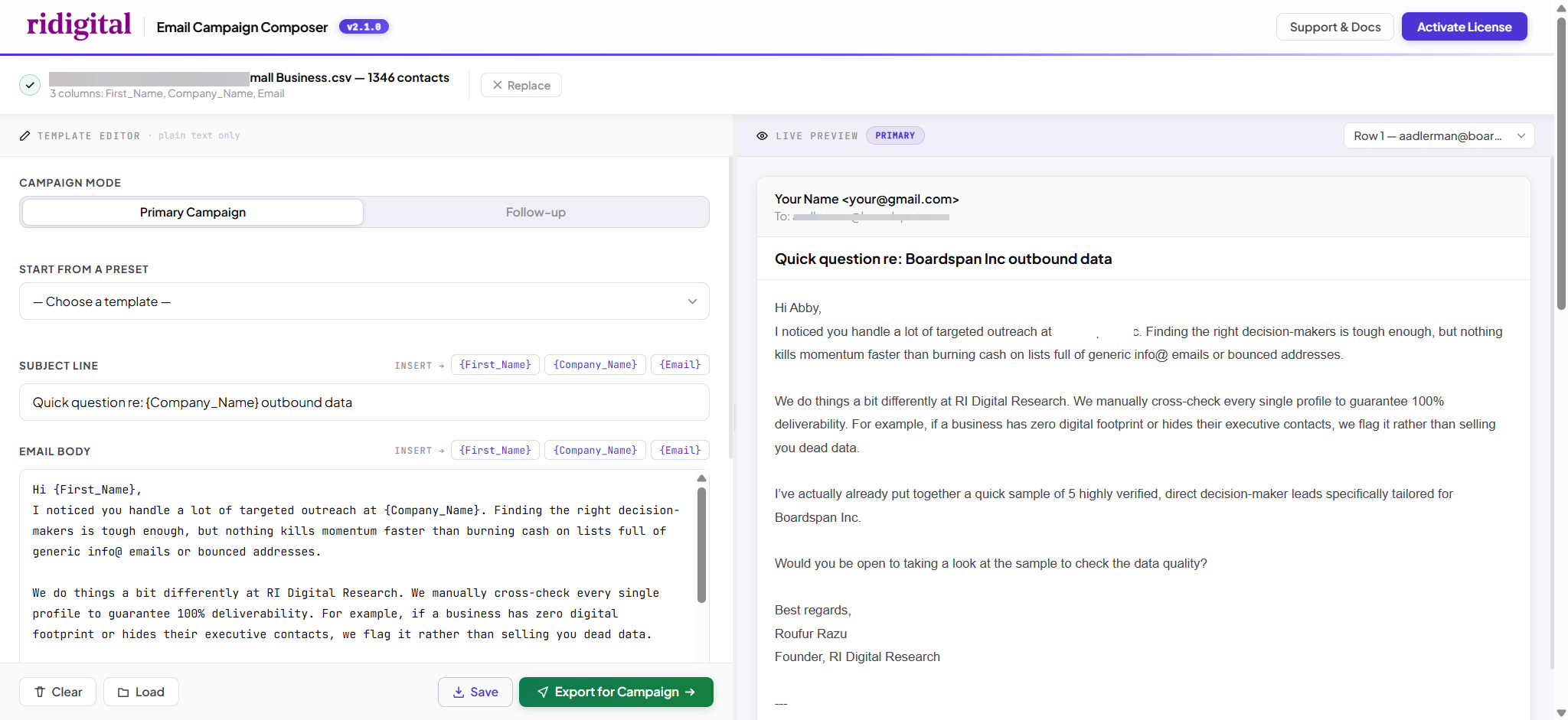
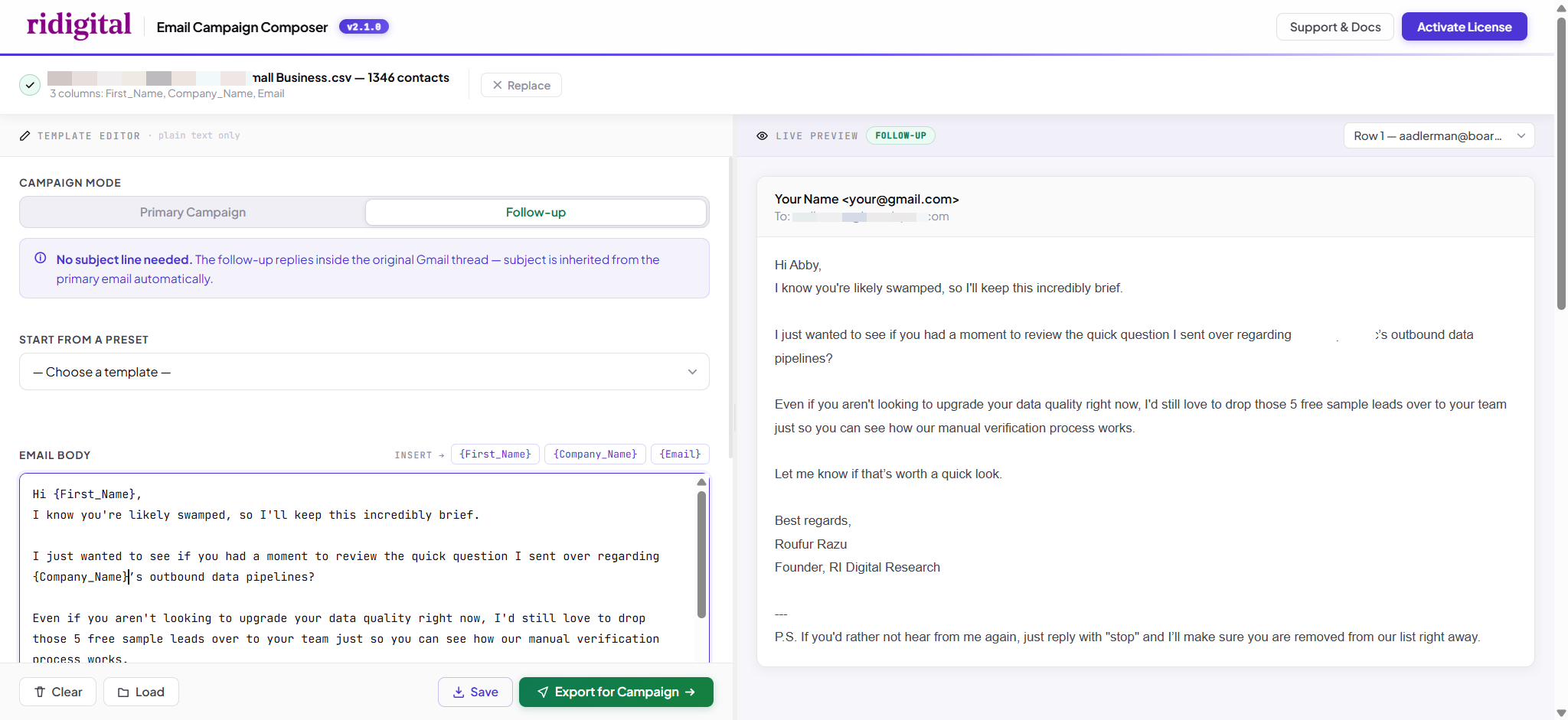
Click Compose in the app header. Live preview updates as you type using real contacts from your CSV. Export directly as a template — no external tools needed.
Composer — Primary
Both editions
Built-in Email Composer — Primary mode with live preview
Primary Campaign mode
Subject line + HTML body · {Token} insertion · live preview
Composer — Follow-up
Both editions
Follow-up mode — no subject line, inherits original thread
Follow-up mode
No subject line — reply inherits the original Gmail thread automatically
What the Composer gives you
Live preview updates in real-time using actual contact data from your loaded CSV.
One-click token insertion for {First_Name}, {Company_Name}, and any custom CSV column.
Follow-up mode has no subject line — the reply automatically inherits the original thread.
Exports as a .json template file loaded directly by the app at campaign time.

Section F — Campaign Management

Suppression list & campaign history

Built-in suppression list keeps opted-out contacts safe across every campaign. Full history with sent, failed, and skipped counts — nothing gets lost. Click either thumbnail to view full size.
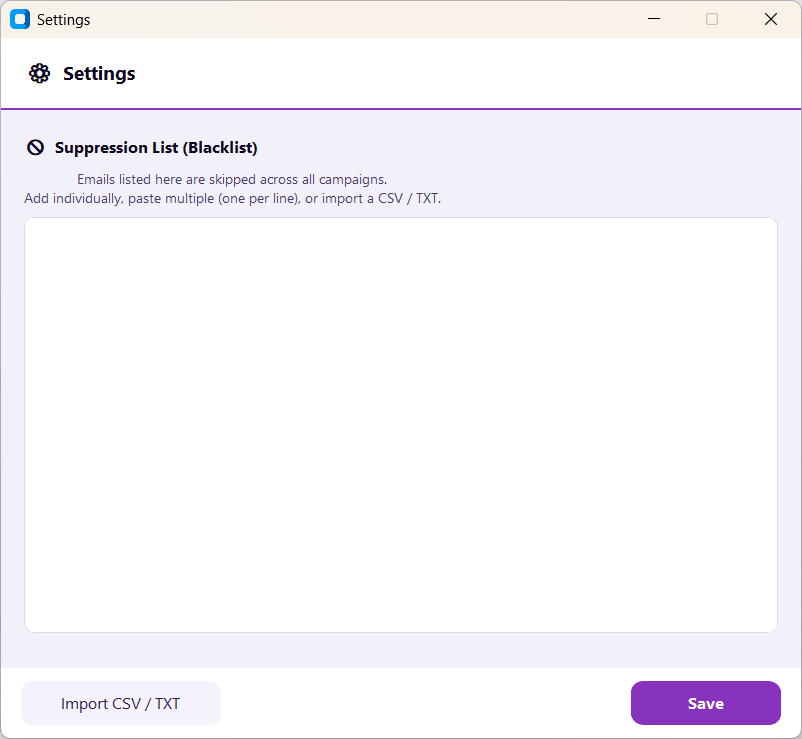
Suppression List — paste, import CSV/TXT, or add individually
Both editions
Suppression List
Paste emails individually, bulk-import from CSV or TXT, or add one at a time. Anyone on this list is permanently skipped across all campaigns.
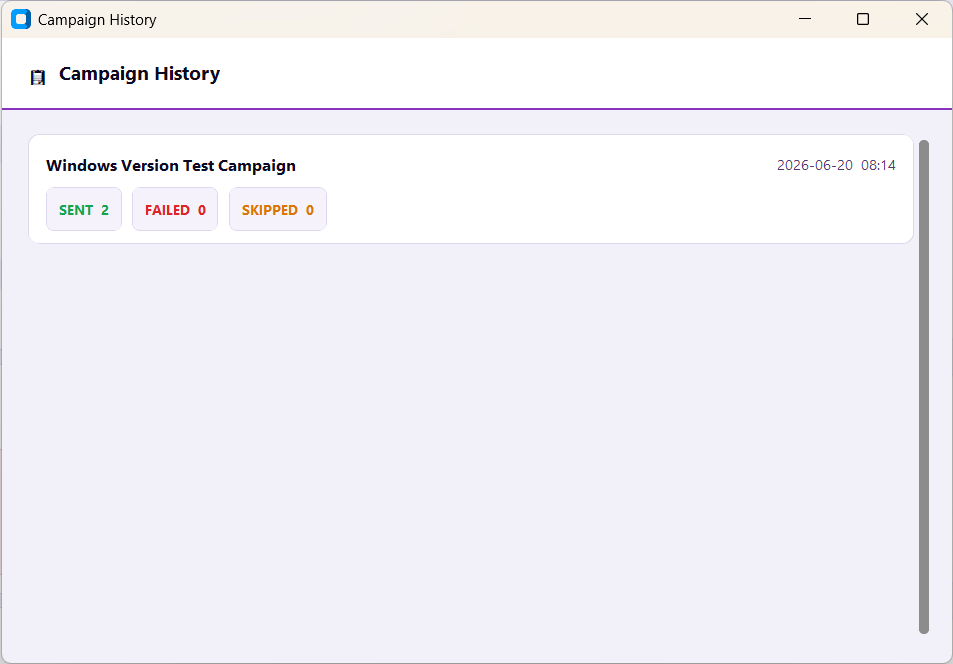
Campaign History — Sent 2, Failed 0, Skipped 0
Both editions
Campaign History
Every run recorded with sent, failed, and skipped counts. Resume any incomplete campaign — picks up exactly where it stopped with zero duplicate sends.

Section G — New in v2.1.0

Intelligent follow-up campaigns

Follow-ups reply inside the original Gmail thread — not a new email. The app checks every thread for replies and skips anyone who already responded. Here's exactly what that looks like in Gmail.

Quick question about TechCorp, Sarah 2 of 2
SM
Sarah Miller Jun 26, 9:14 AM
to me
Thanks for reaching out! Yes, I'd love to chat — do you have time this Thursday afternoon?
Reply detected — follow-up automatically skipped
Contact replied to the primary email
Quick question about StartupCo, Mike 2 of 2
YO
You Jun 29, 9:02 AM
to Mike Chen
Just following up on my note from last week — did you get a chance to take a look? Happy to answer any questions.
No reply found — follow-up sent inside this same thread
No reply after 5 days — app sends the follow-up
Same thread. Recipients see the full conversation history, not a disconnected new email.
Never double-contact. Anyone who already replied is automatically skipped.
Stack multiple follow-ups. Reply check re-runs each time — warm leads stay protected.

Ready to start sending?

One payment, lifetime use. $49 via Stripe. Download immediately after purchase. 30-day money-back guarantee — no questions asked.

Buy Now via Stripe — $49 →

Already purchased? Activate your license →